

Plenty of small business TV screens share the same problems. Plain text sits on a colored rectangle, a low-resolution image is stretched to fit, or the font is too small to read from a meter away.
Most owners know good visuals help sales. But a freelance designer for every weekly promotion costs money, and desktop design tools take hours to learn.
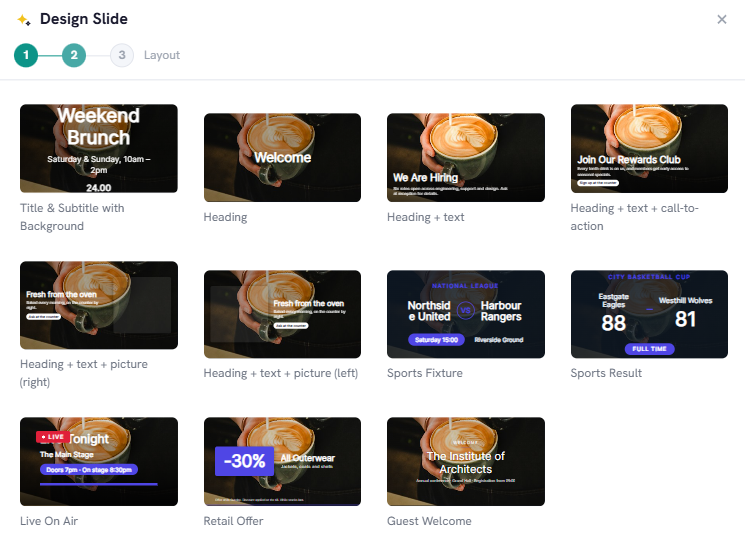
The Slide Designer in InfoSlides showing the Unsplash photo picker modal with a search for 'artisan coffee' and instant layout previews.
Stock photos inside the Slide Designer
A good photo does a lot of work. Steaming sourdough in a bakery, botanical oils in a spa, a clean engine bay in a repair shop: each one gets a glance from people walking past.
The Slide Designer connects to the Unsplash photo library at no extra cost. Type what you need, such as "fresh pasta", "yoga studio" or "hair salon styling", and pick from high-resolution results. Busy photos make text hard to read on a TV, so the designer has a Background dimming slider that darkens the photo behind your text. If the text would still be hard to read when the slide is rendered, InfoSlides raises the dimming for you. Unsplash photos can be used commercially under the Unsplash license, so you can run them on your screens.
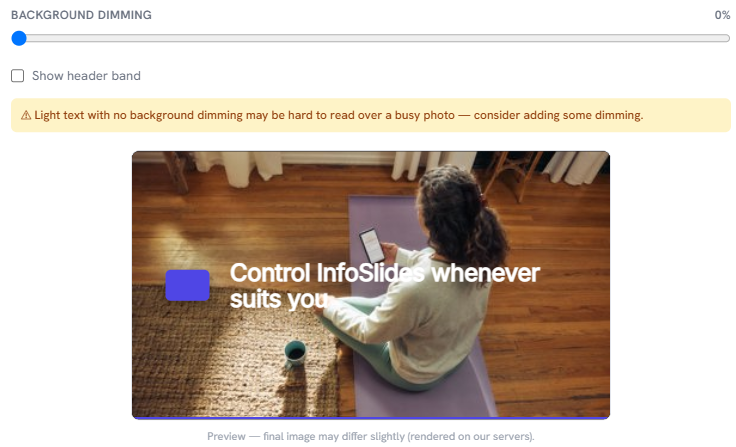
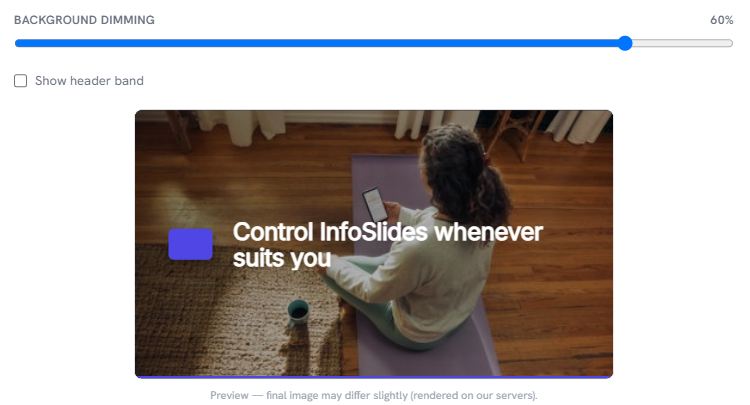
The same yoga photo slide with a white headline, hard to read at 0% background dimming and clear at 60%.
Import what you already have
If your flyers or presentations already exist, you can bring them in as they are. There are three ways.
PDF flyers and menus
Say a designer exported your menu from Canva as a PDF, or a supplier sent a multi-page product flyer. Drag the file into the InfoSlides uploader. Each page becomes a slide, scaled to your screen's resolution and added to your rotation.
Google Slides
If your team works in Google Slides, paste the presentation link into InfoSlides instead of exporting a file. InfoSlides converts and syncs it, so the work stays in the cloud.
PowerPoint (.pptx)
Upload a standard PowerPoint deck. Slide layouts, custom shapes and transitions carry over.
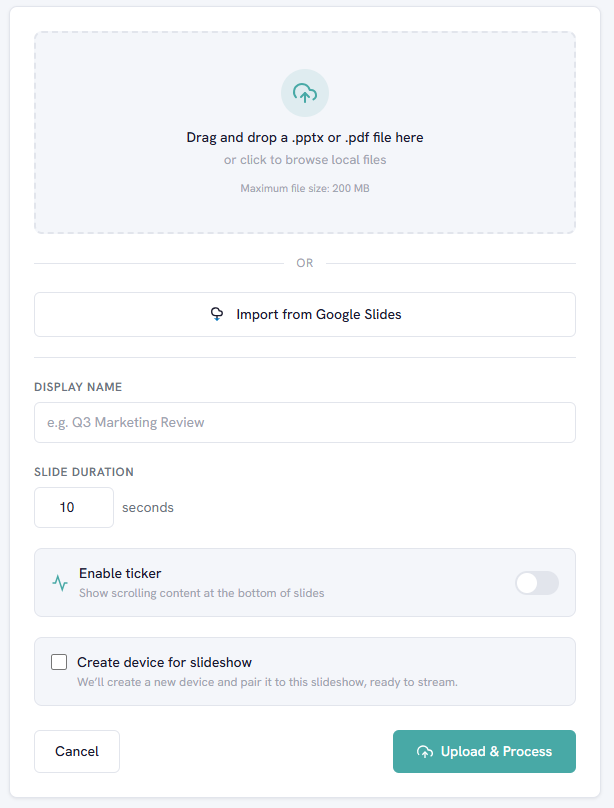
The file upload modal in InfoSlides with drag-and-drop support for PowerPoint, Google Slides URLs, and PDF documents.
Three rules for slides people can read from across the room
These rules apply to anything you build in the Slide Designer.
- Make the text big. Headlines should be at least 48pt and body text at least 28pt. If you can't read it from three meters away, enlarge it.
- Put one idea on each slide. Ten offers on one screen read as clutter. Make two or three slides and let them rotate every 8 to 10 seconds.
- Keep the contrast high. Use bright white or warm yellow text on dark backgrounds, or dark navy text on clean white cards. Mid-tone grays disappear under bright shop lighting.
Works on the smart TV you already own
As covered in our guide to small business digital signage, you do not need a media player or an AV installer.
Pair a Samsung, LG webOS, Android TV or Sony set, or any display with a browser, using a 6-character code. Your slides stream to the screen from the cloud.
Try it on the free plan
InfoSlides has a permanent free plan that covers one screen and needs no credit card. Paid plans add the full template library, live data feeds and multi-screen tools.